
Featured lessonCybersecurity4 min
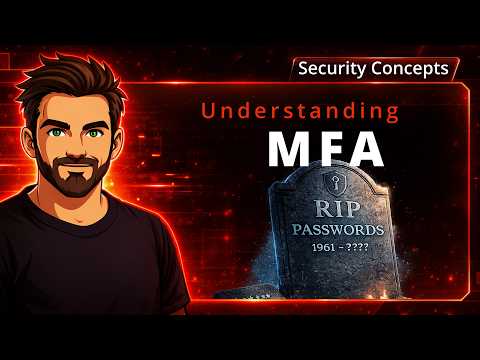
Understanding MFA
A beginner-friendly introduction to multi-factor authentication, including what it is, the main authentication factor types, common MFA methods, and why some forms of MFA are stronger than others.
Start with video lessons and clear explanations of networking, cybersecurity, and Microsoft. Use Troubleshooter to work through real-world checks, then put your judgment to the test in simulated Labs.
Once you understand the concept, put it to work. Follow a guided diagnostic path, see why each check matters, and capture your findings in ticket-ready notes.
Commands are suggested for you to review, never run automatically.
Check local network connectivity before investigating services farther upstream.
ipconfig /allIllustrative preview — open the tool to start a real investigation.
Turn the concepts and diagnostic thinking into hands-on experience. Investigate realistic IT incidents in a safe simulation, examine evidence, and see how your decisions affect the outcome.
Four available scenarios, including Rogue DHCP, workstation connectivity, intranet DNS, and backup recovery. No sign-in required.
Investigate, gather evidence, and decide how to restore service safely.
Illustrative workspace — all scenarios run in a simulated environment.
These lessons are where the learning begins. Watch the explanations, read the technical notes, then bring that knowledge into Troubleshooter and Labs when you are ready to apply it.
Browse the subjects behind the videos and technical guides. Pick a topic to explore its current lessons, then follow your curiosity as the library grows.
Understand the network, not just the configuration.
Switching, routing, VLANs, and infrastructure fundamentals.
Explore topicBuild security knowledge from the ground up.
Authentication, encryption, and defensive concepts.
Explore topicTurn admin concepts into practical understanding.
Entra ID, identity, MFA, and Microsoft administration.
Explore topicLearn how to investigate, not just what to click.
MSP incidents, diagnostics, and lessons from the field.
Explore topicMove from fundamentals to practical configuration and deeper technical reasoning. Each path organizes existing lessons by depth, while clearly showing what is still being developed.
Clear explanations and strong mental models before getting into the weeds.
Move from knowing the concept to seeing how it works in an IT environment.
The more technical learning path, built out as new lessons and labs are published.
I'm working toward becoming a better network engineer, and I'm just as interested in why technology works as I am in how to configure it.
JoeLearns is where I share what I'm learning: approachable video lessons, lessons from real IT work, and tools that help turn understanding into practical experience.
I don't have every answer. The point is to keep learning, test what we think we know, and build something useful along the way.
Follow along as new lessons, Troubleshooter improvements, and Labs scenarios take shape. Join the journey, or reach out with a question or suggestion.